
Jerkmate Free Trial: Is Jerkmate Legit and Worth Trying?
 Reviewed by King Porn
12-year adult-site tester & Editor-in-Chief
Jerkmate “free trial” is basically a free-to-join account that lets you browse and watch, then pay only if you choose a paid session. The key detail (and why people get confused): Jerkmate may ask you to add a valid card to unlock the full chat experience—but you shouldn’t be charged unless you enter a paid chat or use paid features.
In this guide, I’ll show you what you get for free, what costs money (and how billing works), how to avoid accidental spend, and the simplest “exit + cancel” steps if you try it and decide it’s not for you.
What Is Jerkmate?
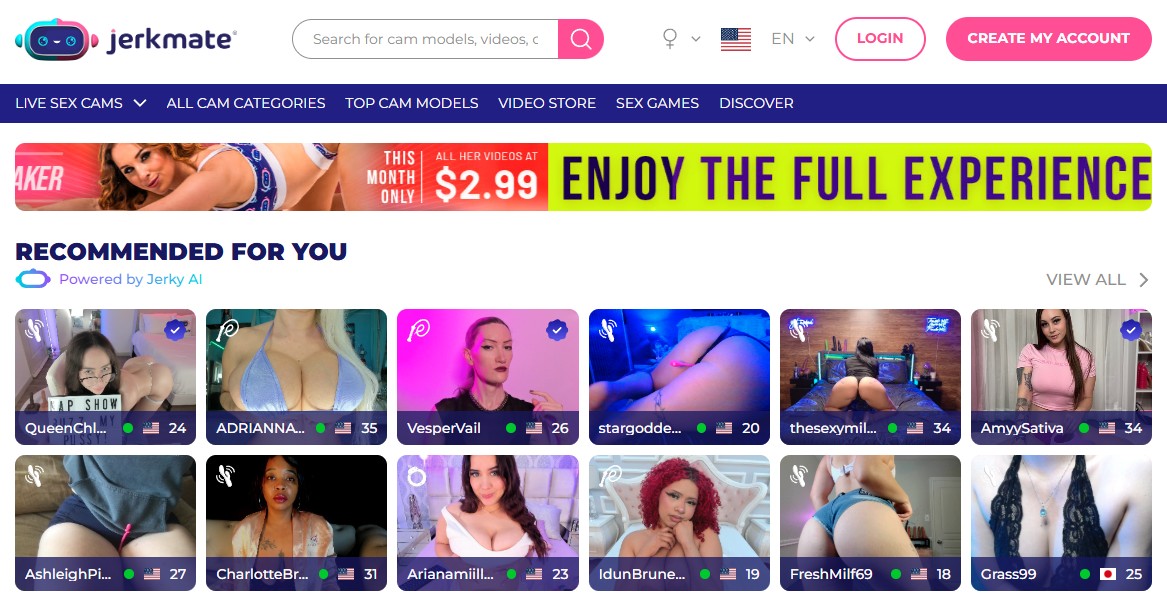
Jerkmate is a live cam platform where you can browse performers, watch live content, and (optionally) pay for more interactive sessions. The platform uses Gold as its currency, and 1 Gold equals $1. If you enter paid chats, the per-minute price is shown in your local currency before you enter, so you’re not guessing what you’re about to spend.
Important context: people call this a “free trial” because you can start with $0 and only pay if you choose a paid session. It’s not a time-limited promo.
How the “Jerkmate Free Trial” Actually Works
Here’s the straight truth (no marketing fluff):
- You can create an account for free.
- You may need to add a valid card before you can enter chat and unlock the full experience.
- You shouldn’t be charged unless you enter a paid chat session or choose paid features.
- Gold pricing is simple: 1 Gold = $1.
If you see a small pending amount after adding your card, it may be a temporary authorization hold used to verify the payment method. The hold amount and how long it stays pending depends on your bank/issuer—it can disappear in a few days, or take longer on some cards.
How to Use Jerkmate (Step-by-Step)
This is the cleanest “do it without wasting time” path:
- Create your free account (email + username).
- Unlock chat access when prompted (this is where most “is this legit?” questions come from).
- Browse performers and watch free/live content without starting paid sessions.
- Before any paid chat: check the per-minute rate shown right before you enter.
- End billing instantly: to stop charges in a private/exclusive chat, leave the room or tap the “X” in the top-right.
That last step matters more than anything. Most “I got charged” complaints are people who didn’t realise the session stays live until you exit.
Jerkmate Pricing Explained (Without Guesswork)
Jerkmate isn’t a “pay one fee and watch everything” kind of site. Costs depend on what you do:
- Private chat: a paid session focused on you, but other members can join and watch.
- Exclusive chat: like private, but no other members can join (rate is fixed per model, shown on their profile).
- Gold Shows: group goal-based shows where multiple members “chip in” to unlock a performer’s show.
If you want to spend less per minute, some performers offer block-time bundles (pay upfront for a longer session at a lower effective rate). Discounts and durations vary by performer, so confirm the offer on-screen before you buy.
Rule for staying in control: treat paid chat like a taxi meter. Know the per-minute rate, decide your max time, and exit the second you hit it.
Is Jerkmate Legit?
Yes, it’s legit in the sense that it’s a real platform with clear “end session to stop billing” mechanics. The legitimacy confusion usually comes from two things: (1) needing to unlock chat access even for “free” browsing, and (2) people not exiting paid chat properly.
One more thing: if you’ve seen people talking about a “Jerkmate crypto token,” Jerkmate states it has no affiliation with a token called “Jerkmate” (JERK) on Solana and tells users to rely on official channels only. That’s not a payment method—just a warning about an unrelated crypto project.
Pros and Cons Summary
Pros of Jerkmate
- Free to join and you only pay if you start paid chats / features.
- Clear pricing before you enter paid sessions (per-minute rate shown in local currency).
- Exclusive chat option (true one-on-one where nobody else can join).
- Simple currency model: 1 Gold = $1 (easy to understand vs “mystery tokens”).
Cons of Jerkmate
- Card verification can feel sketchy if you expected a true “no-card free trial.”
- Paid chats can add up fast if you don’t set a time limit (per-minute billing).
- Marketing language is aggressive (it’s easy to click into paid areas if you’re not paying attention).
How to Cancel / Delete Your Jerkmate Account (Fastest Route)
If you just want to stop spending, the immediate fix is simple: exit paid chat (leave the room / tap the X top-right). For account-level changes (billing settings, cancellation, or deletion), use My Account first, then contact support if you can’t find what you need.
A commonly listed support email for account/billing help is supportteam@jerkmatelive.com. When contacting support, include your username and transaction details (amount/date/descriptor) and only the last 4 digits of your card.
What to Collect (Your “Proof Pack”)
If you ever need to question a charge, dispute something, or just keep your spending tight, this “proof pack” turns a messy back-and-forth into a quick fix. Do this immediately after any paid action (Gold purchase, private/exclusive chat, or any upgrade prompt).
1) Your statement “descriptor” (copy it exactly)
On your banking app/statement, copy the charge name exactly as shown (including dots, hyphens, or odd wording). Adult purchases often don’t display the site brand name, so the descriptor is the fastest way for support to locate the transaction.
- Descriptor text (exact spelling)
- Amount (including currency)
- Date + time (your local timezone)
- Card/payment method used (last 4 digits only)
2) Screenshot your purchase confirmation (the most important one)
After buying Gold or entering any paid flow, take a screenshot of the confirmation screen or success message. If there’s a transaction ID, reference number, or order number, capture it.
- Confirmation screen (success message visible)
- Transaction/order/reference ID (if shown)
- Gold amount purchased and total paid
3) Screenshot your account purchase history
Go to your account area and grab a screenshot of the purchase/payment history showing the transaction. This is what support typically asks for when something “doesn’t match” what you remember.
- Purchase history entry for the transaction
- Date/time shown in account history
- Status (completed/pending/etc.) if shown
4) Log the paid session details (2 lines, no essays)
Write this down in your notes app right after a session. You’re creating a simple timeline that makes it obvious whether a charge makes sense.
- Session type: Private / Exclusive / other paid feature
- Rate shown before entering: copy the per-minute price if visible
- Approx time started / ended: even rough is fine
- How you ended it: left room / tapped X / navigated away
5) Save any emails (receipt + support)
If you receive a receipt or confirmation email, keep it. If you ever contact support, keep that email thread too. It’s your paper trail.
- Receipt/confirmation email (subject + timestamp)
- Support ticket/thread (keep the full chain)
6) The “charge looks wrong” quick-action checklist
If you see a charge you don’t recognise, don’t panic and don’t instantly chargeback. Do this in order:
- Check your account purchase history and match amount/date.
- Search your email for receipts/confirmations around that time.
- Confirm it wasn’t an authorization hold (small pending amounts can drop off later).
- Contact support with: descriptor, amount, date/time, last 4 digits, and screenshots.
- Only escalate to your bank if you can’t resolve it through support.
Final Thoughts: Should You Try Jerkmate?
Try it if you want a modern cam platform where you can start free, then pay only when you choose. It’s especially good if you care about clear per-minute pricing and the option for exclusive one-on-one sessions.
Skip it if you hate any site that asks for a card up front, even when it claims “zero charges unless you upgrade.” That single requirement is the biggest friction point—and it’s the main reason people label it a “scam” when it isn’t.
🟢 If you want to explore, start with free browsing first, then only enter paid chat once you’ve checked the per-minute rate and set a hard time limit.
Frequently Asked Questions
Is Jerkmate legit or a scam?
It’s legit. The “scam” label usually comes from people not expecting card verification up front, or from staying in a paid chat longer than intended. If you enter paid chat, check the per-minute rate first and exit properly to stop billing.
Can I really try Jerkmate for free?
Yes. You can create an account and browse with $0. To unlock the full chat experience, you may be asked to add a valid card. You shouldn’t be charged unless you start paid chat or choose paid features.
What does “Gold” mean on Jerkmate?
Gold is the site’s currency. 1 Gold equals $1. Paid chats and tips can use Gold, and prices are shown before you enter paid sessions.
How do I stop being charged in a private or exclusive chat?
Exit the chat room. To stop billing, leave the room or tap the “X” to close the session. Billing continues until the session ends.
Does Jerkmate have a paid Premium subscription?
Jerkmate is primarily pay-as-you-go. If you see a small pending amount after adding a card, it may be an authorization hold used for verification. The amount and duration depend on your bank and should drop off automatically.
Does Jerkmate accept crypto or have its own coin?
Jerkmate says it has no affiliation with a token called “Jerkmate” (JERK) on the Solana blockchain and advises users to rely on official channels. This is a warning about an unrelated token—not a promise of crypto payments.
How do I cancel or delete my account?
Use “My Account” first for settings, billing controls, cancellation, or deletion. If you can’t find what you need, contact support with your username and transaction details.







King Porn –
If you’ve ever wondered what is Jerkmate, it’s basically a live cam site that really gets how to keep things simple and fun. What I love is the personalized performer matching — it helps you find exactly what you want without endless scrolling. You can check out plenty of free public shows before deciding to spend on private sessions, which is super low pressure. The variety of performers is great, and the mobile-friendly setup means you can watch anytime. Plus, their privacy features give peace of mind. Overall, a solid, beginner-friendly site worth trying out.